On this page
Selecting a new LMS is the visible part of the project. It gets the demo, the stakeholder workshop and the budget approval. The part that decides whether the project is judged a success eighteen months later is the migration — and it is consistently underestimated.
The failure mode is specific and easy to recognise. The new system goes live, it looks better than the old one, and for three months nobody complains. Then an audit asks who held a current confined-space certificate in a given month, or the regulator asks for evidence of a CPD obligation, and the answer cannot be produced. The record exists. It is just attached to a person record that was duplicated in 2019, under a course title that was renamed twice.
Written for HR, L&D and IT leads in Hong Kong organisations planning an LMS change, and for anyone who has inherited a training record set that nobody fully trusts.
What to move, and what to leave behind
Four classes of data, four different answers.
| Data class | Migrate? | Why |
|---|---|---|
| Current people records | Yes, cleaned | The join key for everything else. Duplicates here corrupt completion history downstream. |
| Completion history — current or auditable | Yes | Needed for recertification cycles, CPD obligations and any open audit question. |
| Completion history — stale, no obligation attached | Archive, do not migrate | It answers no question anyone is still asking, and it carries retention obligations. |
| Certificates and compliance evidence | Yes, with field validation | Issue date, expiry date, issuing provider and holder must be structured fields, not a scanned file alone. |
| Course content still in use | Yes | Check version, language and whether the source file is the latest one. |
| Superseded course versions | Archive | Needed for reference, not for delivery. Keep one copy, note what replaced it. |
| Raw clickstream / xAPI history | Usually no | High volume, low decision value, and it is the hardest data to justify retaining. |
That middle row — completion history with no obligation attached — is where most organisations over-migrate. The instinct is that data might be useful someday. Under the Personal Data (Privacy) Ordinance the more relevant question is whether you have a reason to keep it. CIPD’s learning needs analysis factsheet lists existing LMS and management information as one input to identifying needs, which is an argument for keeping data that supports decisions — not an argument for keeping everything.
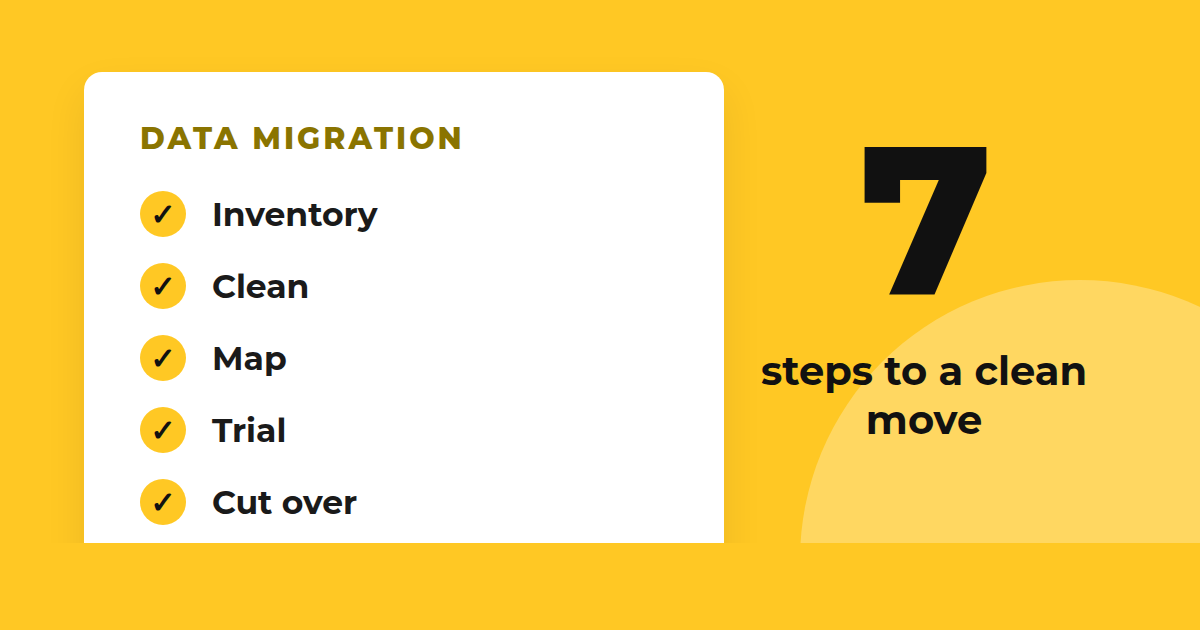
Seven steps, in order
1. Inventory the source before judging it
Export everything first, before anyone decides what is good. You need the actual shape of the data: how many person records, how many duplicates, how many distinct course titles, how many courses with no completion records at all, and what proportion of certificate evidence exists as structured fields versus attached files. This inventory is also the document that tells you how long the project will really take.
2. Set the retention rule per class
Do this before cleaning, because it removes work. If general completion history is kept for three years and certificate evidence for as long as the obligation requires, a large share of the source simply drops out. Write the rule down; it will be needed again when someone asks why a record from 2016 is no longer visible.
3. Clean people records first
Everything joins to a person. Reconcile against HR as the authoritative source, resolve duplicates by rule rather than by hand where possible, and decide how contractors, secondments and shared accounts are represented. This step is unglamorous and it is the one that determines whether compliance reports are right.
4. Map fields, not screens
A field mapping document with the source field, the target field, the transformation rule and the default when the source is empty. Pay particular attention to: completion status versus attendance status, score versus pass flag, issue date versus expiry date, and language. An empty default is almost always better than an invented one — a blank expiry date prompts someone to check, whereas a defaulted date quietly passes validation.
5. Trial migration, then fix and repeat
Run a full trial into a non-production instance, reconcile counts, review the exceptions, fix the rules and run again. Budget for three passes. A migration that works first time usually means nobody checked the exceptions.
6. Cut over with a parallel period
Run both systems for one reporting cycle. New completions go into the new system; the old one stays readable for reference. This is what makes it safe to answer an audit question during the transition, and it is far cheaper than discovering a gap after decommissioning.
7. Decommission deliberately
Keep the old data in a defined archive for the retention period, with a named owner and a known route to retrieve it. “We’ll keep the server running” is not an archive — it is an unmanaged system with no budget.
The mistakes that recur
- Treating attendance as completion. Old systems frequently recorded that someone was present, not that they passed. Migrating that as a completion creates a false compliance position.
- Losing the evidence link. The completion record survives; the certificate file does not, or the file survives with no structured expiry date. See what makes training records audit-ready for the fields that need to travel together.
- Course title drift. The same course appears under four names across the years, so historical completions fragment. Map to a stable course code, and keep the old titles as aliases.
- Forgetting external certificates. Training delivered by an outside provider often lives in a spreadsheet or a filing cabinet. Those records usually carry the highest compliance weight and are the least likely to be in the source system.
- No named owner for exceptions. Every migration produces records that cannot be mapped automatically. If nobody owns the exception queue, it stays unresolved and becomes a permanent gap.
- Migrating before the new system is configured. Structure follows configuration; importing into a half-configured system means importing twice.
The Hong Kong privacy dimension
Training records are personal data: they relate to a living individual and can be used to identify that person. The Personal Data (Privacy) Ordinance applies to both the private and public sectors, is technology-neutral and principle-based, and its Data Protection Principles in Schedule 1 set out how data users should collect, handle and use personal data.
Four points bear directly on a migration.
Accuracy and retention (DPP2). Data users must take all practicable steps to ensure personal data is accurate and is not kept longer than is necessary for the purpose for which it is used. A migration is actually the cheapest moment you will ever have to fix accuracy — but only if the retention decision is made as part of the project rather than afterwards. Section 26 of the Ordinance requires data users to take all practicable steps to erase personal data that is no longer required for the purpose, unless erasure is prohibited by law or contrary to the public interest; contravention is an offence subject to a fine of up to HK$10,000.
Data security (DPP4). Data users must take all practicable steps to protect personal data against unauthorised or accidental access, processing, erasure, loss or use — with particular regard to the nature of the data and the potential harm. A migration, in which data is exported, transformed and reloaded, is a period of elevated risk, and export files sitting on someone’s laptop are the most common way it materialises.
Processors (DPP2 and DPP4, applied through contract). Data processors are not directly regulated under the Ordinance; instead, data users are required by contractual or other means to ensure their processors meet the applicable requirements. If your LMS vendor or implementation partner handles the migration on your behalf, that contractual obligation is yours to discharge. It is worth checking before the project starts, not after.
Access and correction (DPP6). Individuals have the right to request access to and correction of their own data. This is a practical argument for migrating clean: a person who asks what training they are recorded as having completed should get an answer that matches reality.
None of this is a reason to avoid migrating. It is a reason to treat the migration as a data governance exercise rather than a technical copy job.
Validation: how to know it worked
- Reconcile counts per person and per course: source total, migrated total, exception count. All three reported, not just the successes.
- Sample individual histories against the source, weighted towards people with compliance obligations.
- Sign off compliance-critical records separately. Do not let certificate evidence pass on the strength of a bulk import log. Have the responsible owner confirm a defined set.
- Test the reports you will actually be asked for, before go-live: who holds a current certificate, who is overdue, who is within 90 days of expiry, what was completed in a given period per department.
- Keep the parallel period for one full reporting cycle, and only then decommission.
If the reports work and the exception list is closed, the migration is done. If the reports work but the exception list is long and unresolved, the project is not finished — it just looks finished.
Where this sits in the wider project
Migration planning should start during selection, not after it, because the questions it raises — how historical data is represented, whether completion means attendance or assessment, what reporting is required — are also the questions that distinguish systems. They are set out in how to choose an LMS. For regulated obligations, the record requirements are covered in mandatory safety training in Hong Kong and the HKICPA CPD requirements; if your obligations include structured CPD tracking, the Cyberwisdom CPD Engine is built for that case.
Sources
Cyberwisdom Asia Ltd. is a Hong Kong provider of learning management systems, CPD compliance software and bespoke courseware, serving 800+ enterprise clients since 1999.
About Cyberwisdom